For small rental-room operators
Read every meter.
Review every bill.
Keep rooms, stays, meter readings, bills, payments, and outstanding balances in one local-first workflow. Core work stays on your device and does not require a RoomBillDee account.
- Up to 5 active rooms freeTry a real workflow first
- No required accountStart with on-device data
- Portable backupRecords and app-owned photos
Real app screen
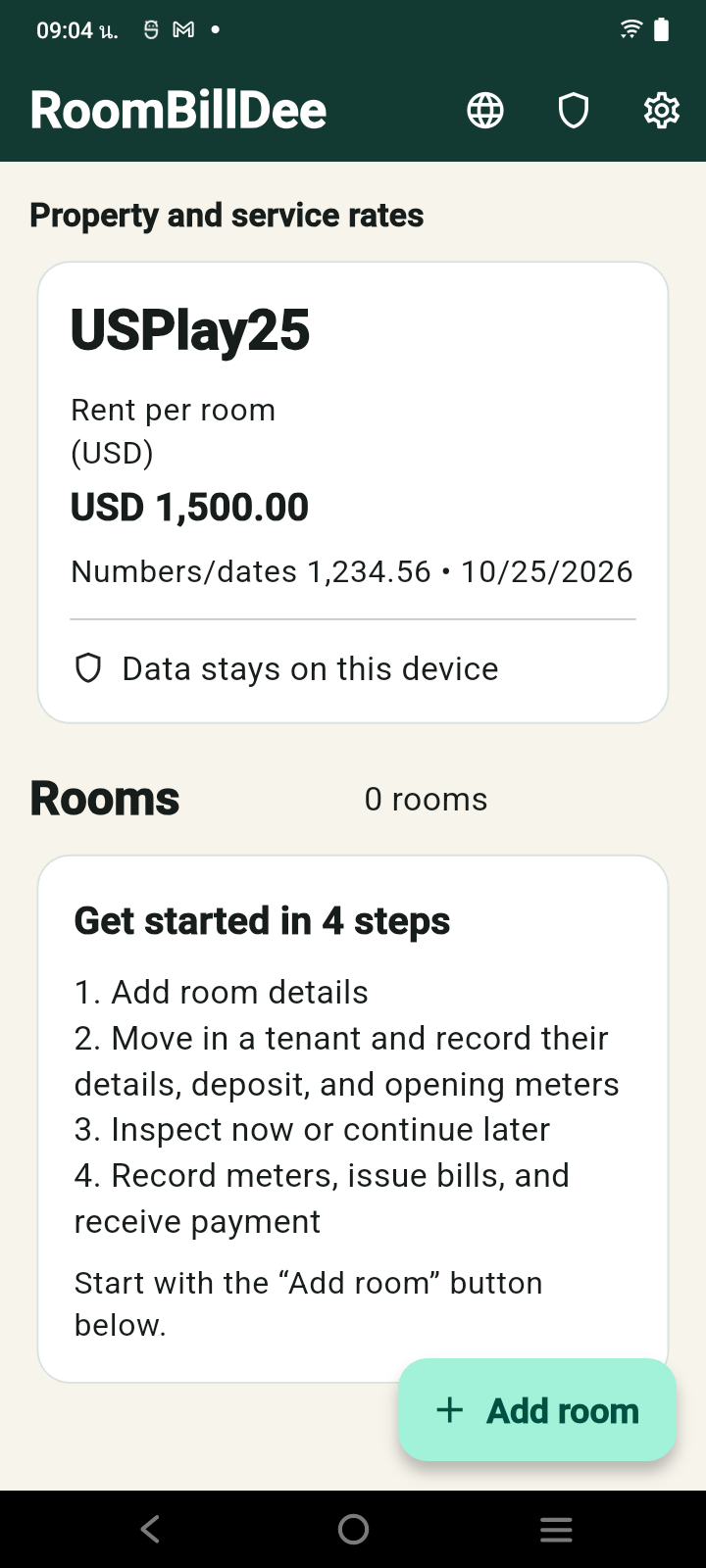
Start with the property, then follow the work.
The home screen keeps local rates, rooms, and the current billing cycle in context.
- On-device core records
- Clear next action
- No account gate
Room-by-room workflowKeep the previous reading beside the current entry
Review before closingCheck room totals before bills are issued
Balances stay visibleRecord payments without hiding what remains due
A practical monthly route
From room setup to a reviewed bill
RoomBillDee keeps related steps together so you spend less time copying figures between paper notes, calculators, chat threads, and spreadsheets.
- 01
Add rooms and stays
Record the room, current stay, rent, rates, deposit, and opening details.
- 02
Record the cycle
Enter room-by-room meter values or confirm a rent-only cycle when no reading is required.
- 03
Review every room
Check readings and totals before closing the cycle and issuing bills.
- 04
Share the bill
Prepare a bill image or PDF and choose the recipient through the system share sheet.
- 05
Record collections
Save full or partial payments and keep the remaining balance visible.
Real English screens
See the workflow before you download
These are RoomBillDee QA captures, placed inside compact landscape cards so the page stays easy to scan on desktop and mobile.
Keep rates and the next billing action visible without an account-first setup.
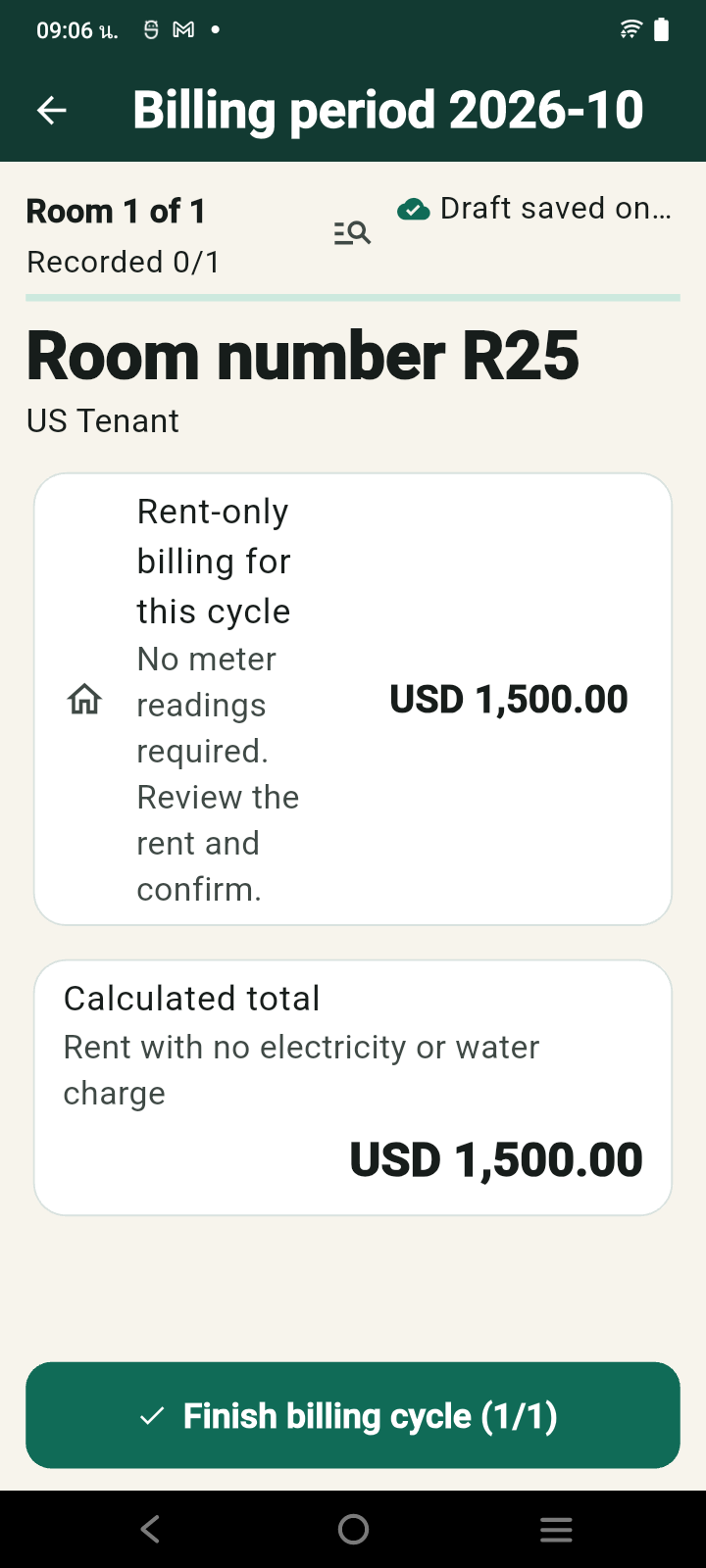
Use the room context to confirm rent or enter the required meter readings.
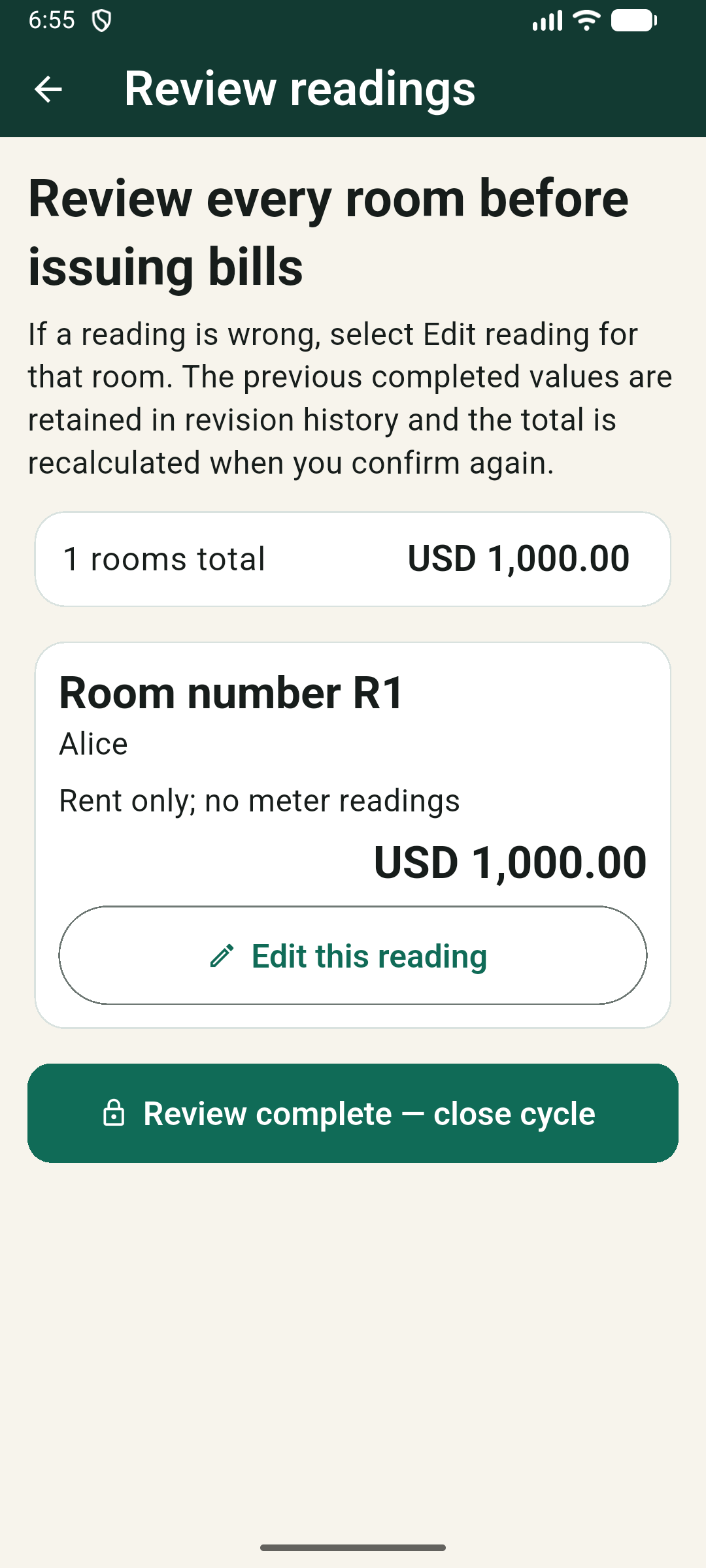
Review room totals and edit a reading before the cycle is closed.
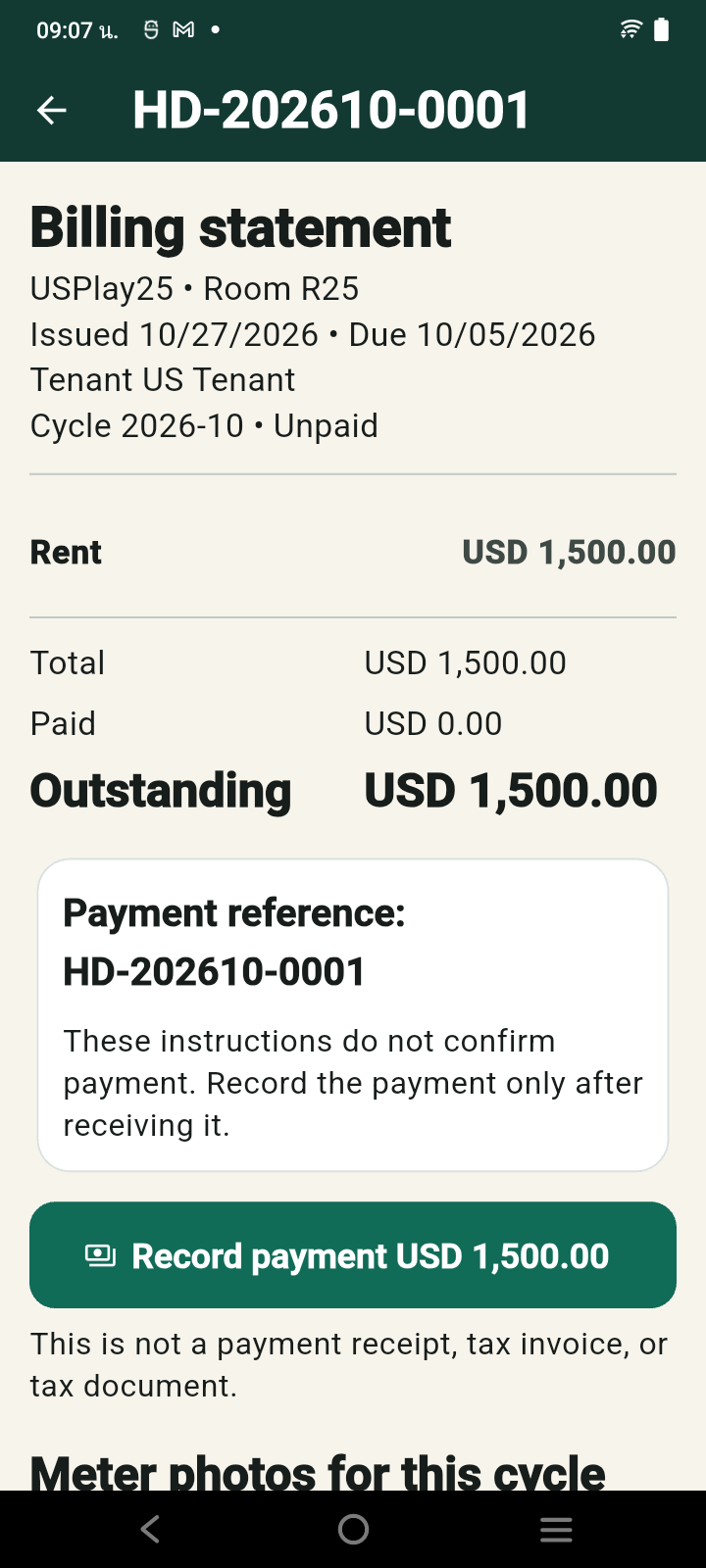
See the bill, recorded payments, and what remains outstanding.
Start with a real property
Try up to five active rooms before unlocking more
The free tier supports up to five active rooms. Unlimited rooms use a separate lifetime entitlement available through the Store. The Store shows the current localized price before purchase.
Questions before you start
Clear boundaries for local-first work
Who is RoomBillDee for?
It is designed for owner-operators of small dormitories, apartments, rental rooms, and rental houses who personally prepare recurring bills.
Do I need a RoomBillDee account?
No account is required for the core local workflow. RoomBillDee is not presented as a cloud property-management service and does not promise automatic cross-device sync.
Will purchase restoration bring back my rooms and photos?
No. Store entitlement restoration is separate from customer-data restoration. Export a current .hordee backup before uninstalling or changing devices.
Does the app read meter photos automatically?
No automatic OCR claim is made. Meter values remain user-confirmed entries.
Billing scope: RoomBillDee records bills and payments for your own workflow. It is not presented as a payment gateway, bank settlement service, accounting system, tax invoice service, or automatic currency-conversion service.
RoomBillDee
Keep the meter-to-bill trail in one place
Read the practical guide, review the privacy policy, or download the app from the official Store page.