Turn a purchase into a unit cost
Enter the purchase price, package quantity, and unit, then choose the amount used by a service.
Cost and pricing for independent nail professionals
Combine material cost, your labor, service time, and shop overhead before you quote a client. BeautyCostDee turns those inputs into total cost, profit, margin, profit per hour, and a target-based price you can review.


Availability, regional pricing, and purchase terms are shown by each Store.
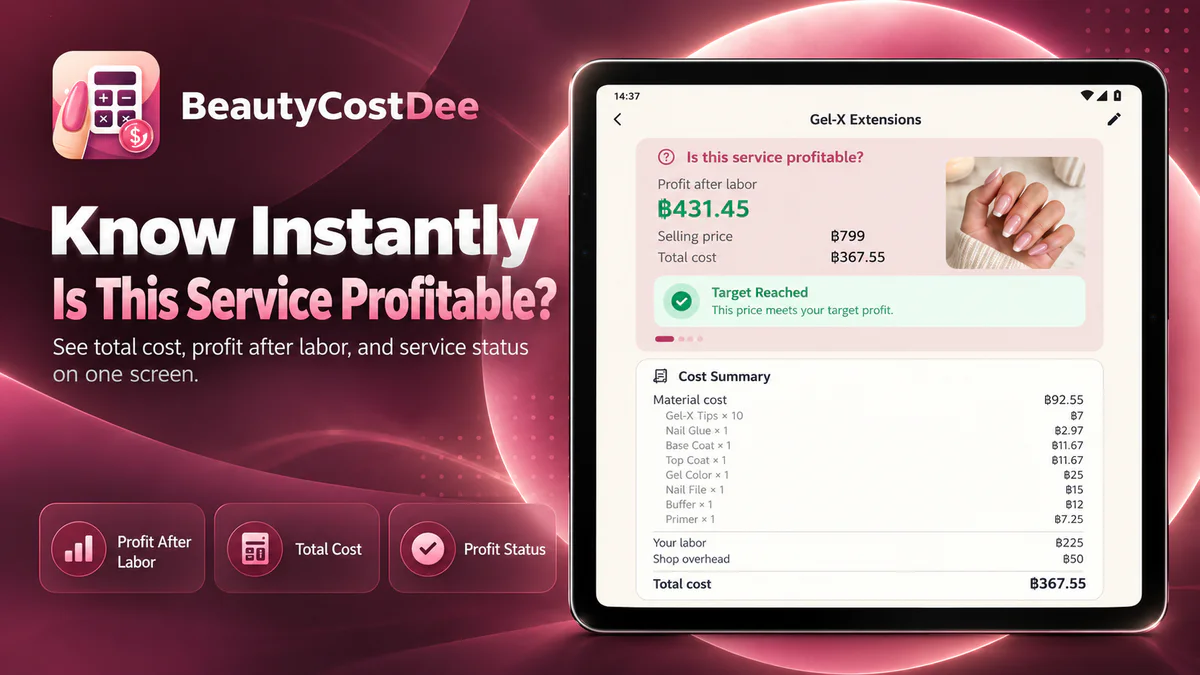
Move from a guess to a visible cost breakdown
Nail products are often bought by the bottle, pack, piece, or service while your work is sold by appointment. BeautyCostDee connects the purchase quantity to actual usage, then adds labor, time, and overhead without pretending the suggested price is a market guarantee.
Enter the purchase price, package quantity, and unit, then choose the amount used by a service.
Set the hourly income you want and the service duration so labor is counted before business profit.
Include rent, utilities, software, and custom costs by service count or billable hours.
Compare selling price with total cost, profit, margin, profit per hour, and your chosen target.
Add a service photo and connect a nail design so visual references stay close to the service.
Choose a sample service, then replace its materials, time, labor, overhead, and price with your own.
One focused path from cost to receipt
A saved service supports the quote. A completed sale keeps its own price and cost snapshot, so sharing or reprinting the same receipt does not create another sale and later service edits do not rewrite history.
English screens from BeautyCostDee
These landscape previews show the app’s English tablet workflow without stretching the page: start from a service template, review the cost breakdown, return to saved services, and manage material unit costs.
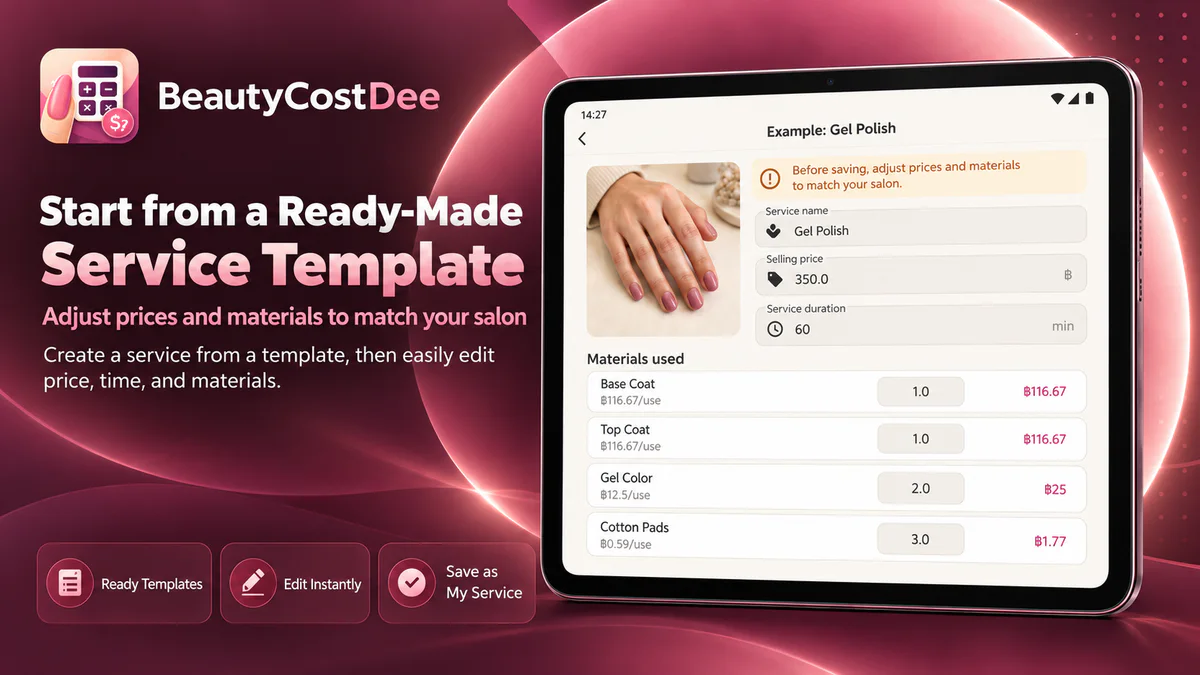
Edit the example before saving it as your own service.
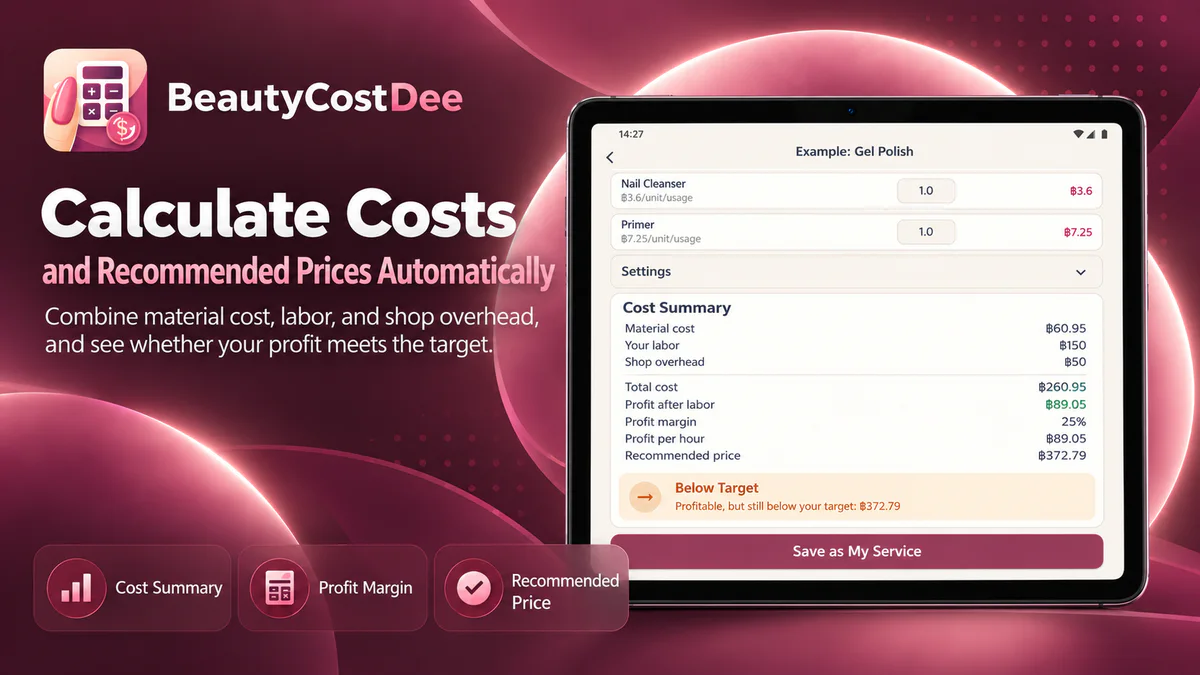
Review cost, profit, margin, and target status together.
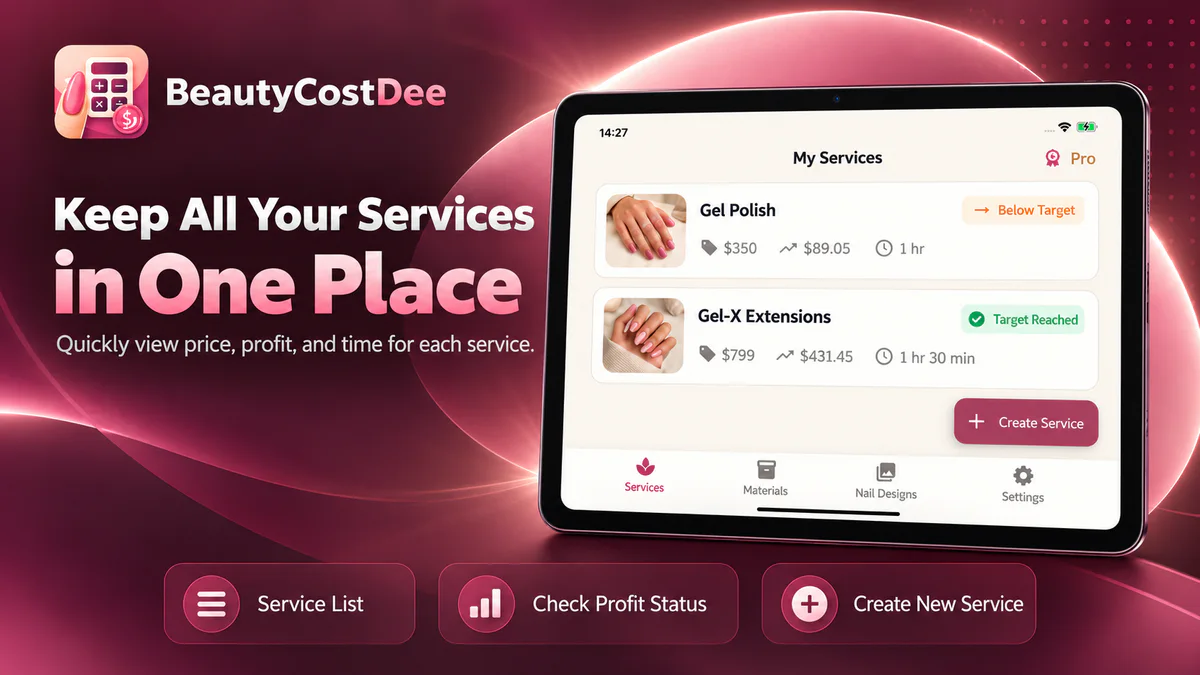
Return to regular services without rebuilding the calculation.
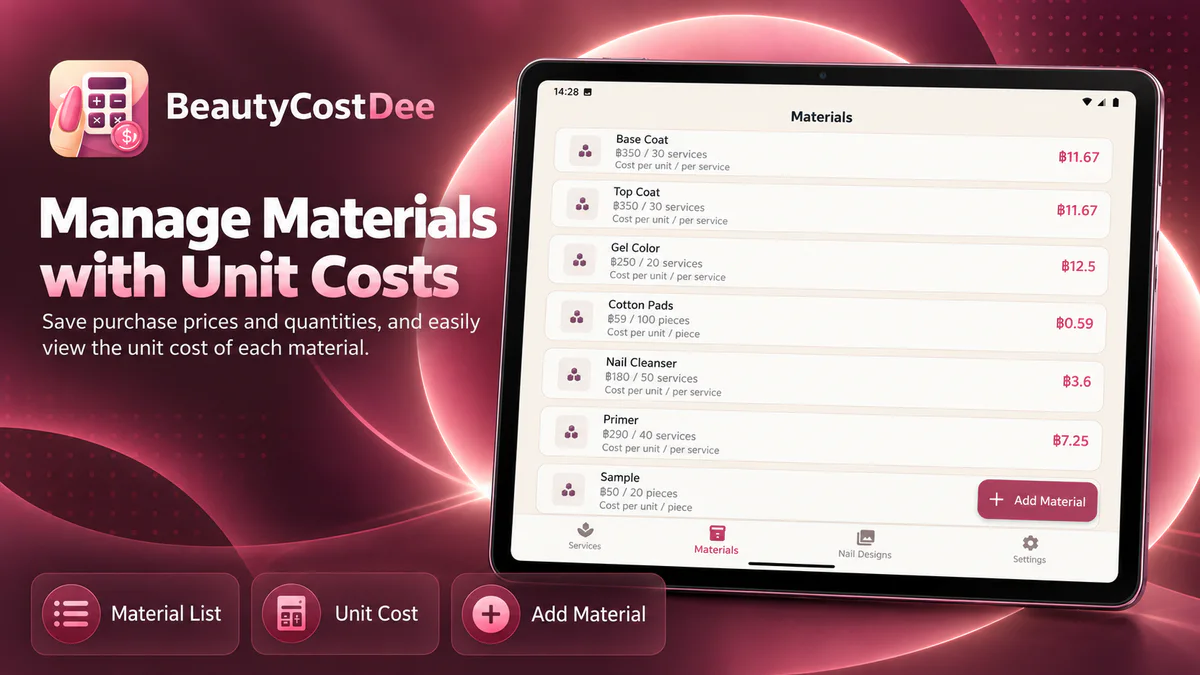
See the usable cost behind every bottle, pack, or item.
Focused tools after the first calculation
BeautyCostDee adds practical local tools around costing while deliberately staying outside booking, CRM, payroll, tax invoicing, and full accounting.
Select services, add a discount when needed, record payment, and reuse the same receipt for sharing or reprinting.
Save a full image, name, starting price, notes, and a linked service for designs you want to find again.
Enter rent, utilities, internet, software, and custom items, then allocate the monthly total using the method that fits your work.
Export one ZIP package containing canonical business records plus available app-owned full images and thumbnails.
Your shop, your working data
Core services, materials, nail designs, and sales are designed to stay on your device. That keeps the workflow direct, but it also means you should export a current backup before deleting the app or changing devices.
Keep the exported file outside the app. Deleting the app can remove local business data.
Try the real workflow first
The Store shows the actual price, currency, tax, and availability for your country or account.
Use the app with work you already do before deciding whether it fits your shop.
A one-time Store purchase with no monthly subscription.
Questions before you start
Independent nail technicians, home nail studios, and small beauty businesses that want a focused view of service cost, labor, time, profit, and pricing.
No. BeautyCostDee focuses on costing, pricing, nail designs, and lightweight local sales. It is not a booking system, CRM, tax invoice system, payroll tool, or full accounting platform.
Core costing and saved-service work is designed for local use without a login. Internet access is still needed to download the app and to buy or restore Pro through the Store.
No. The QR helps the shop accept a payment and record the selected method. The owner must confirm the real bank transaction before completing the sale.
No. PDF, sharing, and system printing are the baseline. Direct 58-mm printing is limited to model and connection pairs explicitly tested by the app.
Do not rely on that. Export a complete ZIP backup to a user-controlled location first, then restore business data and Store entitlement as two separate steps.
Start with the service you perform most often
Download BeautyCostDee, choose an editable example, and replace it with the materials, time, labor, overhead, and selling price from your own shop.
Availability, regional pricing, and purchase terms are shown by each Store.