1
Choose one pet video
Select one supported clip from your device. MomentPick keeps the current workspace on the device.
Pet video to photo · on-device
Choose one video and receive up to five clear, useful suggestions. Compare them, adjust a moment when needed, and save the photos you want.
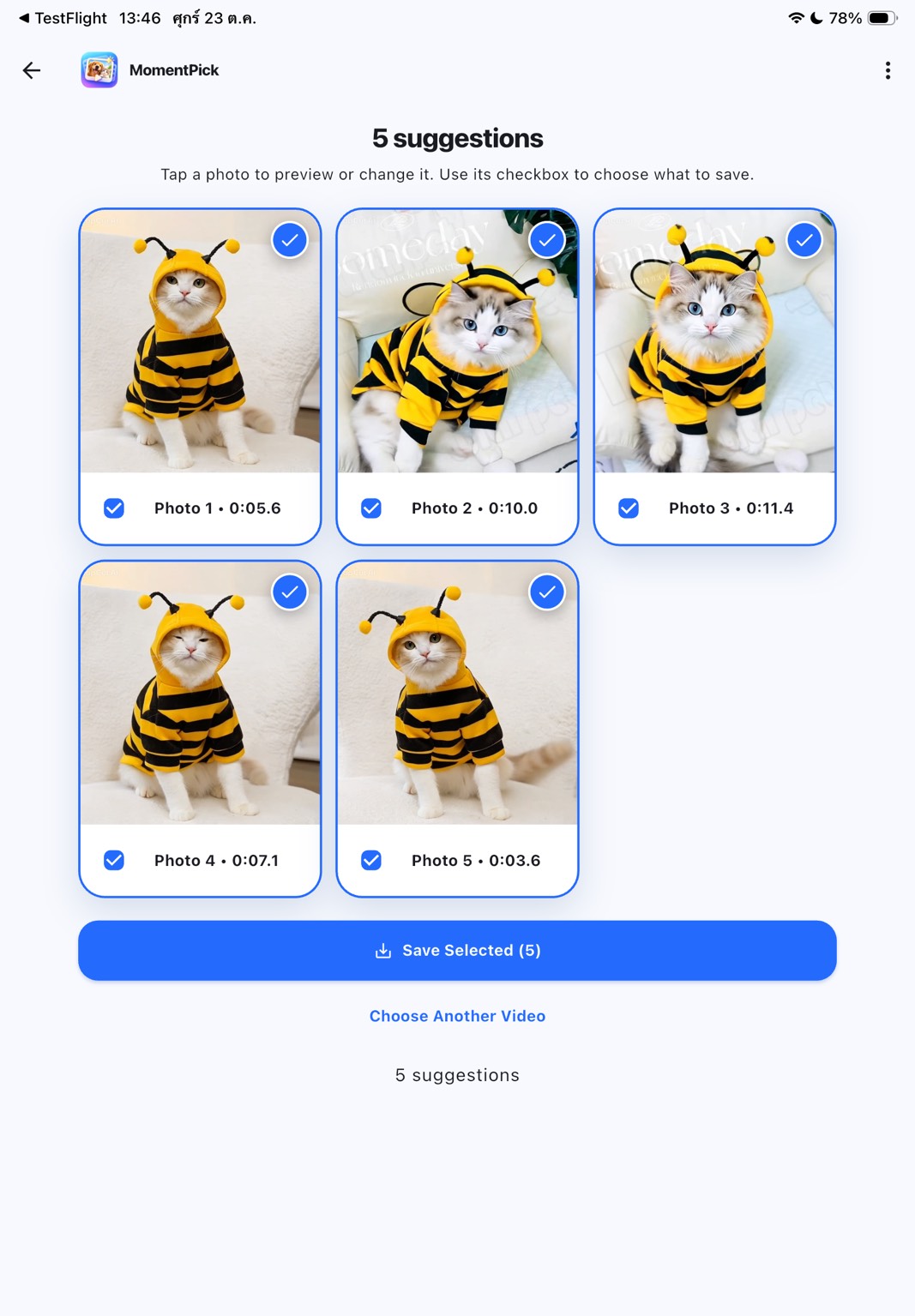
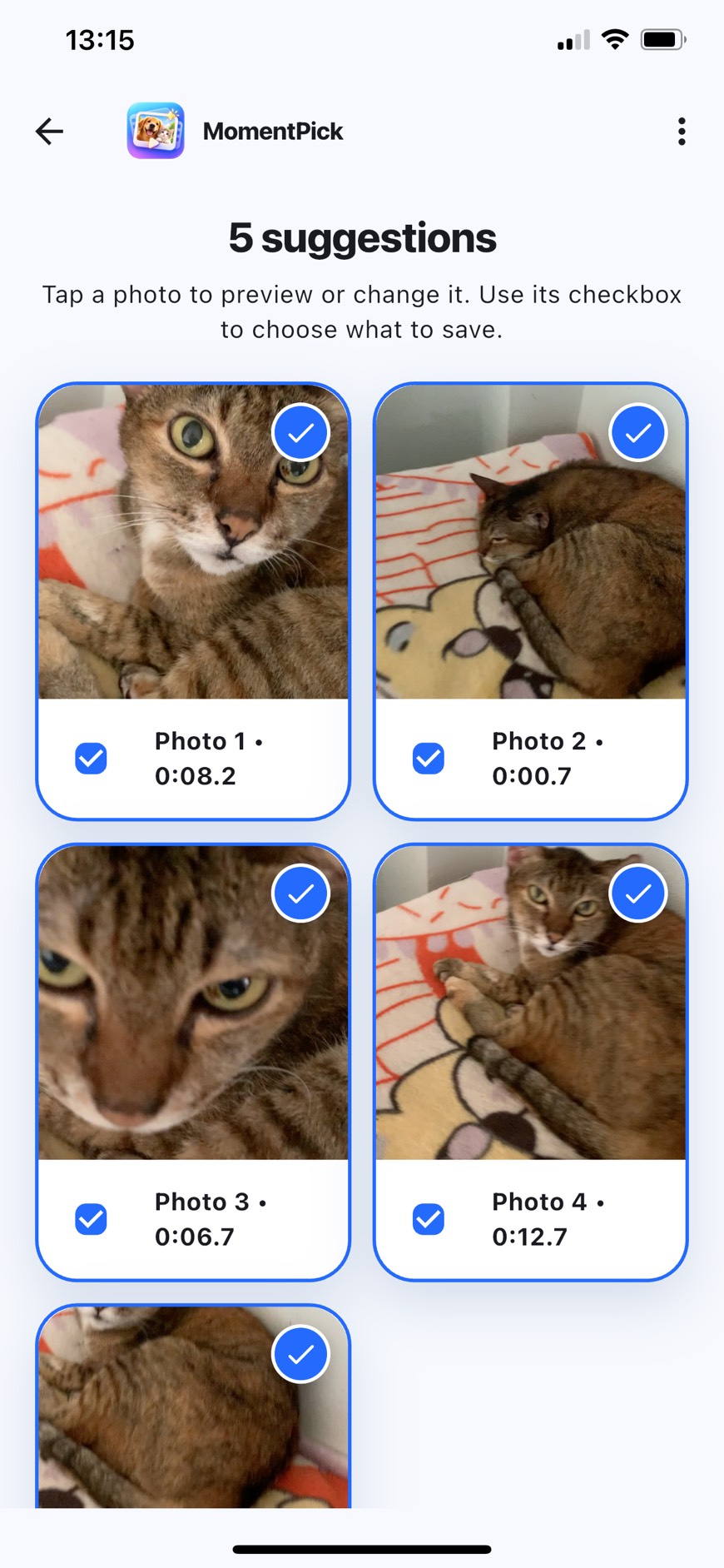
A short primary journey
No mode setup, emotion sliders, or feature-heavy editing workspace.
Select one supported clip from your device. MomentPick keeps the current workspace on the device.
MomentPick automatically looks for clear, useful photos. It shows fewer when a clip contains fewer good moments.
Preview full screen, swipe between results, change the timestamp across the whole clip when needed, then save to Photos.
Less scrubbing, full control
MomentPick reduces frame-by-frame searching without blocking you from choosing a different moment.
You receive up to five photos. A clip with no pet or no usable moment can return fewer or zero instead of padded poor results.
Open a suggestion, zoom to inspect sharpness, and swipe between results without changing which photos are selected.
Use Play/Pause and the timeline to stop on another moment, inspect the still, and confirm that photo.
No account is required, and videos or frames are not uploaded to a developer server for analysis.
Real app screens
Open any landscape card to view the complete source screenshot. Pricing and purchase screens are intentionally excluded.
Select what to save, open a larger preview, or change the moment for one result from the same focused screen.
The selection checkbox is separate from opening a photo, so comparison does not accidentally alter the save set.
Play or pause, move through the whole video, and inspect the still before confirming a replacement.
Free and Pro Lifetime
There is no monthly subscription and this page does not publish a fixed price. The App Store will show the current localized price when the public listing becomes available.
Free
Your first 5 video workspaces
Pro Lifetime
One-time purchase
Not publicly available yet: MomentPick is completing its pre-submission checks, so this page does not show an App Store download button.
Intentionally simple
One video → up to five suggestions → compare or correct → save, with one current workspace, English and Thai, and adaptive iPhone/iPad layouts.
No pet profiles, diary, community, AI art, upscaling, cloud sync, account, output-format chooser, batch export, or monthly subscription.
Frequently asked questions
No. It returns up to five. A clip can return fewer or zero when no moment passes the quality gates, while whole-clip manual selection remains available.
MomentPick saves tested JPEG SDR output from real video frames. Quality depends on the source clip; the app does not claim to reconstruct missing detail or turn a blurred source into a sharp photo through upscaling.
The customer product targets iPhone and iPad. The Android mode used during development is an internal UI preview, not a commercial Android release and not proof of Apple Vision, Photos, or StoreKit behavior.
Deleting the app removes work stored inside its app container. Photos already saved to Apple Photos are managed by Photos. Pro access must be restored with the same Apple account.
Privacy and support
MomentPick requires no sign-in, contains no ads, and does not send videos, frames, filenames, or GPS data to a developer server for analysis. Apple Photos, iCloud, and App Store services follow the choices and account settings you make with Apple.